

I love to-do lists.
I love the feeling of writing down a whole bunch of stuff at the start of the day and then crossing them off one by one.
Seeing the progress before my eyes is how I get stuff done.
It feels good, it motivates me, most importantly – it works!
In my book The First $100K, I wrote several chapters about the power of compounding small actions daily.
Even the smallest actions will add up over time if done consistently.
Reading one page a day will compound into an amazing amount of knowledge over a lifetime.
Reading ten pages will make you one of the most learned people on earth.
Reading fifty pages will easily put you in the top 1%.
Reading a hundred pages a day will make it almost impossible for you to not succeed in anything you set your mind to.
So some years ago, at the start of the day I used to write to-do lists on scraps of paper and scribble them off one-by-one. Then I started using the notes app in my phone, but that was a bit clunky. So I started using Google Sheets, and that worked okay but opening the right sheet and tab each day became annoying.
So I started looking for an app. Surely there was a clean, fast app where you can write a to-do list….
It turns out there are countless habit apps and to-do list apps but none of them were actually easy to use. I even paid for a few, and settled on one that was okay, but still far from what I needed.
So I thought – why not just build my own?
I started with a simple Google search “how to build an app”.
And a few weeks later, I’ve actually done it!
It was quite an adventure, putting this thing together, and in this post, I’m going to detail everything I did so you can also build your own app, learn something cool, and maybe even make some money.
AI means everyone is a coder now
I remember when I built my first blog, I wanted a very specific design. I hated the pre-made WordPress themes and had an idea in my head that I wanted to bring to life.
So I went onto Upwork and hired a designer in India for about $200, and we played email ping pong for about a month to get my blog together. In the end, it came out pretty much how I wanted, but it was such a long and tedious process I never wanted to do again.
That was in 2013. How much things have changed in 2026.
With ChatGPT, Grok or Claude (and many others), you don’t need to hire a designer on Upwork. AI can be your designer, and it will be faster, better, cheaper and way more fun to build with.
I chose Claude for building my app, and it was as simple as saying “build me a prototype for a to-do list/habit tracking app”
It put together a surprisingly good prototype that I could have actually used. But of course – why not make it better?
So for the next few weeks I was barking orders at it like “change the font to something more fun” or “make those icons bigger” and over 400 or 500 different changes, we finally got it to where we are now.
That was the fun part.
Then it was another few weeks of tinkering with it for a few hours every day finding all the things that don’t work properly, changing my mind about where different labels should go and what colours and fonts to use, and basically just polishing it into something I was proud of.
Then came the real hard part.
Once the app was ready to ship, I had to deal with getting it approved for App Store and Play Store, and that was a big pain in the A.
On Play Store, you need to get 12 testers to install your app and test it for 14 days. These testers need to install your app with no issues, keep it installed for the full 14 days, and open it here and there to make sure it works. So, out went messages to my siblings, friends, uncles, aunties – “can you please install my app” – and hope that they opt-in and play around with for two weeks.
Thankfully my app passed testing the first time, and boom – it was on Android.
Apple was a bit harder to deal with. First, you need to sign up for an Apple developer account, which is $200/year, and I soon learned that you can only do it from an Apple device (they say you can use any device, but the internet says it’s bs, and it turned out to be bs for me too). So after trying about 10 different credit cards on my Android, I got my hands on a family member’s old iPhone, signed up for Apple Pay and managed to sign up on my first try.
Then, since I have a Windows laptop, “building” the app for iOS also required some other funky software which I had no idea how to use. But the good thing was Claude pretty much held my hand the whole time (go to this website, sign up for this account, click this in the menu, choose this option, download this version, etc etc).
It took a few weeks, but then the Apple version finally got submitted into review (no 14 day test required, Apple just takes a look at your app and says yes or no), and after being rejected three times it finally got accepted into the App Store.
Now it’s available for all of you to use, too!
So – what is the app anyway?
Brick by Brick is an app for everyone who has a goal in life, and it’s free.
Get it here on Android and here on iOS.
If you’ve read The First $100K, or any other book or podcast on habits and daily actions, this is the app to keep you accountable and get you building.
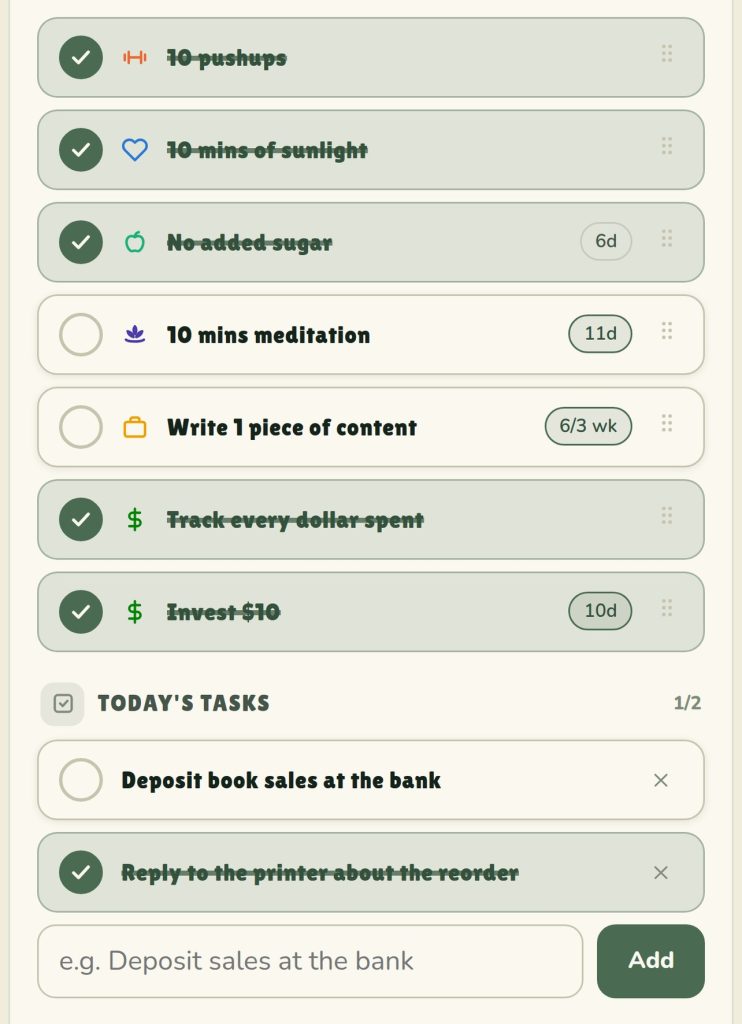
It starts with your basic habits and daily tasks. These are your goals broken down into bite-size tasks. For example, if your goal is to write a book, then your daily task might be to write 200 words. The basic laws of the universe say if you’re able to write 200 words every day, it will be impossible to not have written a book after enough days.
The same thing applies with something like pushups. Even if you can only do one pushup, if you do one pushup every day for enough days, inevitably you will improve and be able to do 5 pushups, and then 10 pushups and then 50 pushups and so on.
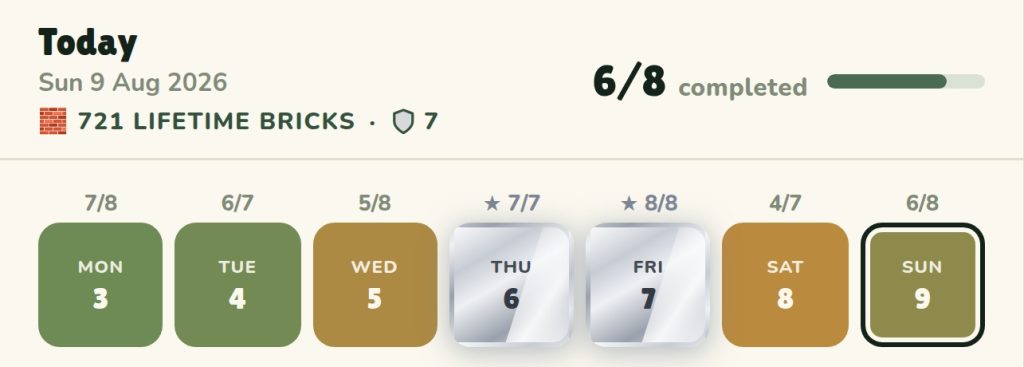
Every day you are given a score based on how many of your tasks you completed.
If you only did 5/10, your day will be orange, if you did 9/10, your day will be green and if you did 10/10, your day will be silver.
Aim to complete a silver day, and then make a streak of silver days.
You also have a lifetime brick counter, every task you complete is one more brick laid in your empire, so even if you only complete one task in a day, you can still see your efforts compounding.
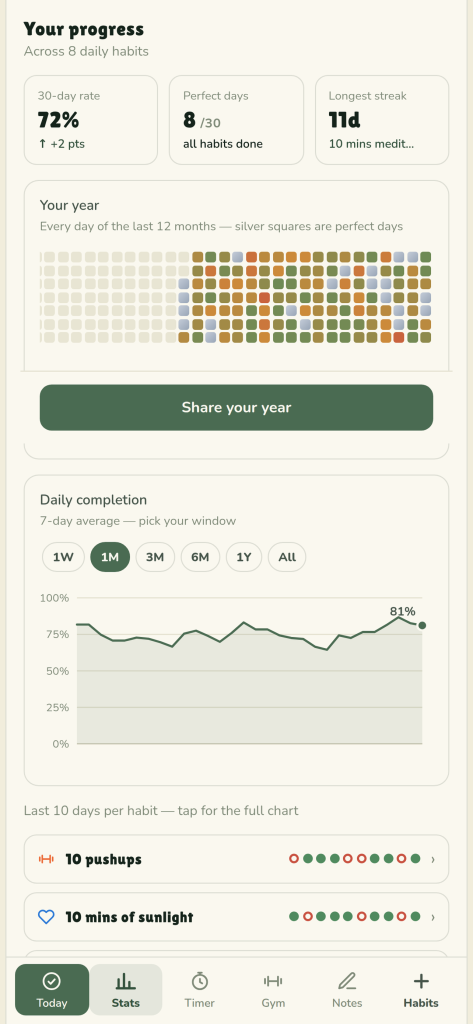
Your progress is charted in a detailed stats section, where you can see your completion rate, your streaks, and even a visual of your entire year. How may silver days? How many red days?
You also have your stats broken down per task, as well as your history graphed so you can see trends.
Accountability is key!
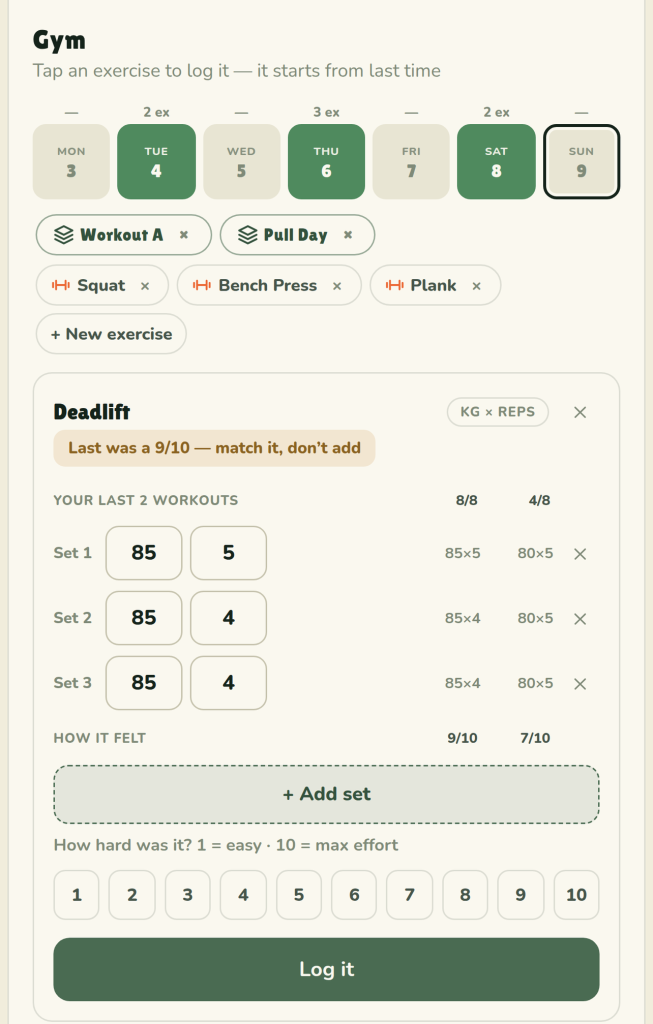
I also have a gym section, specifically for workouts.
All your workouts also count as lifetime bricks, but they can be recorded in more details than a simple to-do list item to be ticked off.
Arrange your exercises by reps, reps and weight, or timed, and log them easily to be repeated again on future days.
The gym section is actually my favourite part of the app – finally an easy app to record simple workouts and see progress and history.
What will you build?
Remember, all of this was built with just simple prompts, very little coding knowledge and a $40 AI subscription.
Is there an app you’ve been looking for and nobody has made it?
Why not you?
Your only limit is your imagination.
In the meantime, make sure you grab the app and let me know what you think!
Get it here on Android and here on iOS.
Also, did you know…
My first game, Race To The First $100K, was also built the same way. Play it here!
